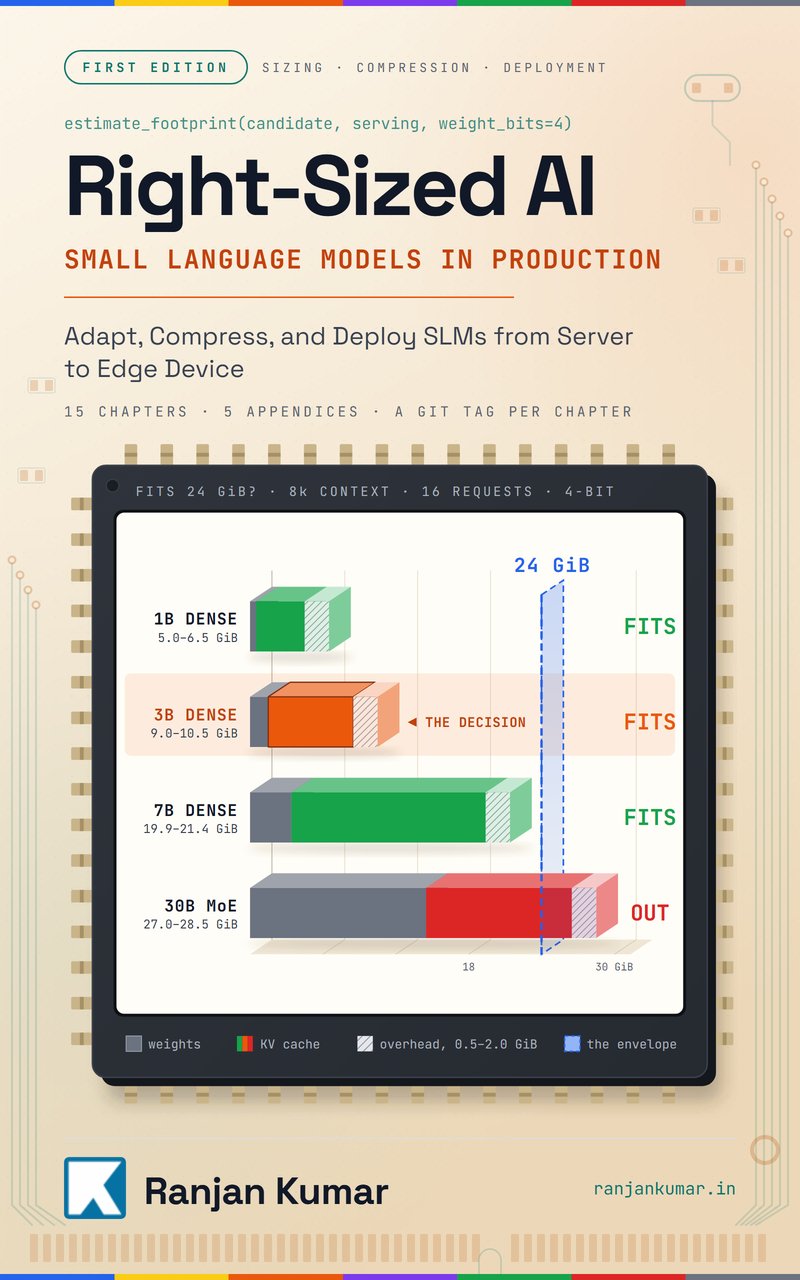
I wrote a book on this idea for small language models: Right-Sized AI: Small Language Models in Production. It starts from the production constraint, not from the model catalog.
The Benchmark Trap
Every week, another model tops the leaderboards. A new frontier release posts a record on MMLU. A rival takes the coding crown a fortnight later. Something nobody had heard of last quarter wins a reasoning benchmark invented to showcase it. Teams see the numbers and want to move production traffic to the "better" model that afternoon.
Then they deploy it and everything breaks in ways the benchmarks never predicted.
The request that took 800ms now takes 2.1 seconds. The cost per request jumped from $0.002 to $0.015. The model that scored higher on code generation produces syntactically correct but functionally broken outputs 30% of the time. The 95th percentile latency blew past your SLA, users are complaining, and your infrastructure costs tripled.
Benchmarks measure model capability in isolation. Production systems care about model behavior under constraints. These are not the same thing.
Updated 21 September 2026. Every price below was re-checked that day against Anthropic's pricing page and OpenAI's pricing page, and the worked examples were re-run on the current lineup. Two conclusions flipped when the numbers changed, which is the best argument for this framework that I can offer.
24 September 2026: corrected the prompt-caching worked example, which had been left on a superseded Sonnet price schedule and carried an arithmetic slip. On Sonnet 5's rates the saving is 81%, not 88%.
What remains illustrative: the latency figures. They are one team's measurements on one workload, not published specifications. Measure your own, on your own prompts, from your own region. That is the point of the piece.
One shutdown worth knowing about. This article originally did its arithmetic on GPT-4, GPT-4 Turbo and GPT-3.5 Turbo. Per OpenAI's deprecations page, gpt-4, gpt-4-turbo, gpt-3.5-turbo, gpt-4o-2024-05-13, o1 and o3-mini all shut down on 23 October 2026, along with the fine-tuned ft-* variants built on them. If you are reading any LLM cost comparison written before mid-2026, check that its models still exist before trusting its conclusion.
Here's what actually matters when choosing an LLM for production: Will it stay within your latency budget when request volume spikes at 3 PM? Can you afford to run it at the scale you need? When it fails, does it fail loudly or silently? Can you constrain its behavior reliably? Does it compose well with your existing systems?
None of these questions appear on MMLU.
Production Reality vs. Laboratory Conditions
Benchmarks run models under ideal conditions. Single requests, unlimited time, no resource constraints, perfect prompts, hand-selected evaluation data. Production is nothing like this.
Your system receives requests in bursts. A user submits a form, triggering five LLM calls in parallel. Your batch job processes 10,000 documents overnight. Your agent makes 50 sequential calls to solve one task. Each call competes for GPU resources, queues behind other requests, and accumulates latency.
The model that scores 2% higher on a reasoning benchmark might have 3x worse p99 latency under load. That 2% capability gain costs you 500ms at the tail, which costs you users.
Benchmarks also ignore the composition problem. Real systems chain multiple models together. Your RAG pipeline might call an embedding model, a reranker, and a generation model. Your agent makes dozens of tool calls. Each step adds latency, cost, and failure probability.
A model that's "better" in isolation might make your overall system worse because it doesn't compose well. It might be slower to start, harder to batch, or produce outputs that confuse downstream components.
And benchmarks definitely don't measure the operational costs of running the model. They don't capture GPU memory requirements, cold start times, batching efficiency, or cost per token. They don't tell you if the model will OOM when you try to serve it on your existing infrastructure.
The most expensive mistake in production LLM deployment is optimizing for benchmark scores instead of system behavior.
The Mental Model: Constraints Matter More Than Capabilities
Stop thinking about LLM selection as "which model is smartest." Start thinking about it as "which model best satisfies my constraints while achieving acceptable quality."
Your constraints define your viable solution space. You have a latency budget - maybe 500ms p95 for user-facing requests, 5 seconds for background jobs. You have a cost budget - maybe $0.01 per request, $100 per day. You have infrastructure constraints - available GPU memory, API rate limits, network bandwidth.
Model capability only matters within this constrained space. If a model can't meet your latency requirements, its benchmark scores are irrelevant. If it costs 10x your budget, it doesn't matter how accurate it is.
This inverts the decision process. Instead of asking "what's the best model," ask:
- What are my hard constraints? (latency, cost, infrastructure)
- Which models can satisfy these constraints?
- Among viable options, which provides acceptable quality?
- What failure modes does each introduce?
Often, the answer is "smaller model with better constraints" beats "larger model with worse constraints."
A concrete example: You're building a code review assistant. It needs to analyze pull requests and suggest improvements. Your constraint is 2 seconds p95 latency because it runs in CI/CD pipelines. Your budget is $0.005 per review because you process thousands daily. Call a review 2,000 input tokens of diff and context, and 400 output tokens of comments, so the arithmetic below is yours to check.
Claude Opus 5 scores higher on code benchmarks, but on this shape it takes 3 to 4 seconds per request and costs $0.02 per review. It violates both constraints. Claude Haiku 4.5 answers in about 800ms and costs $0.004 per review. It fits, with very little room to spare.
But Haiku 4.5 sometimes misses subtle bugs. So you add a second pass: Haiku 4.5 does the initial review, and for high-risk changes, detected heuristically, you escalate to Opus 5. Now 95% of reviews finish in 800ms at $0.004, and 5% take 4 seconds at $0.02. Average cost: $0.0048. P95 latency: about 850ms.
The hybrid beats running Opus 5 on everything, on both cost and latency, and keeps the stronger model where the risk actually is. It also fits the budget by $0.0002 per review, which is a margin thin enough that a longer average diff pushes you over it. That is worth knowing before you ship, and no benchmark was ever going to tell you.
System Architecture: Where Model Selection Actually Happens
Model selection isn't a single decision - it's a decision at each component in your system architecture. Different components have different constraints, and the optimal model varies by position.
graph TD
    A[User Request] --> B[Intent Classifier]
    B --> C{Route}
    C -->|Simple| D[Small Model<br/>Haiku 4.5 / gpt-5.6-luna]
    C -->|Complex| E[Large Model<br/>Sonnet 5 / Opus 5]
    C -->|Structured| F[Constrained Model<br/>Tool Calling]
    D --> G[Response Assembler]
    E --> G
    F --> G
    G --> H[User Response]

    I[Background Job] --> J[Embedding Model]
    J --> K[Vector Store]
    K --> L[Batch Processor]
    L --> M[Mid-Size Model]
    M --> N[Results Store]

    style A fill:#e1f5ff,stroke:#0288d1,stroke-width:2px
    style H fill:#e1f5ff,stroke:#0288d1,stroke-width:2px
    style B fill:#fff3e0,stroke:#f57c00,stroke-width:2px
    style C fill:#fff3e0,stroke:#f57c00,stroke-width:2px
    style D fill:#e8f5e9,stroke:#388e3c,stroke-width:2px
    style E fill:#fce4ec,stroke:#c2185b,stroke-width:2px
    style F fill:#f3e5f5,stroke:#7b1fa2,stroke-width:2px
    style G fill:#fff3e0,stroke:#f57c00,stroke-width:2px

    style I fill:#e3f2fd,stroke:#1976d2,stroke-width:2px
    style J fill:#fff3e0,stroke:#f57c00,stroke-width:2px
    style K fill:#f1f8e9,stroke:#689f38,stroke-width:2px
    style L fill:#fff3e0,stroke:#f57c00,stroke-width:2px
    style M fill:#e8f5e9,stroke:#388e3c,stroke-width:2px
    style N fill:#f1f8e9,stroke:#689f38,stroke-width:2px
Let's map this to real system responsibilities:
Intent Classification (Entry Point)
- Constraint: Sub-100ms latency, millions of requests daily
- Model: Tiny specialized classifier (Distilled BERT, <100M parameters)
- Why: Pure routing decision, doesn't need general intelligence
- Failure mode: Misrouting is recoverable, user just gets slower path
Simple Request Handling (Fast Path)
- Constraint: 500ms p95, frequent requests
- Model: Small LLM (Claude Haiku 4.5, gpt-5.6-luna, or the current small model in your stack)
- Why: 80% of requests are simple and don't need frontier capabilities
- Failure mode: Occasionally punts to complex path on hard questions
Complex Request Handling (Slow Path)
- Constraint: 5s p95, infrequent requests
- Model: Large LLM (Claude Sonnet 5, Claude Opus 5, gpt-5.6-sol)
- Why: Hard questions need reasoning, cost justified by rarity
- Failure mode: Slow responses, but users expect it for complex queries
Structured Output Generation (Tool Calls, Function Calling)
- Constraint: Reliable schema adherence, predictable behavior
- Model: Smaller model with strong tool-calling support
- Why: Constrained tasks work better with constrained models
- Failure mode: Schema violations break downstream systems
Background Processing (Batch Jobs)
- Constraint: Cost per unit processed, throughput over latency
- Model: Mid-size model with good batching support
- Why: Can trade latency for cost, batch efficiency matters more
- Failure mode: Job failures are retryable, individual errors acceptable
Each component optimizes for different metrics. Trying to use the "best" model everywhere is like using a database for all persistence - sometimes you need a cache, sometimes you need a message queue.
The key insight: your system is a pipeline of transformations, and each transformation has different constraint profiles. Model selection should match these profiles, not chase benchmark rankings.
Implementation: Making Constraint-Aware Decisions
Let's work through real implementation patterns for constraint-aware model selection.
Latency-Constrained Selection
You have a chatbot that must respond in under 1 second p95. Your options are:
- Claude Opus 5: 2.5s average, 4s p95, excellent quality
- Claude Sonnet 5: 1.8s average, 3s p95, very good quality
- Claude Haiku 4.5: 0.6s average, 0.9s p95, good quality
- gpt-5.6-luna: 0.8s average, 1.2s p95, acceptable quality
Those latencies are one team's measurements, not published figures. Opus 5 and Sonnet 5 are eliminated immediately, because they violate a hard constraint. Your choice is between Haiku 4.5 and gpt-5.6-luna.
Now add a second constraint: cost. You process 1M requests daily. List prices as of 21 September 2026:
- Claude Haiku 4.5: $1.00 per 1M input tokens, $5.00 per 1M output tokens
- gpt-5.6-luna: $0.20 per 1M input tokens, $1.20 per 1M output tokens
Assuming 500 input tokens and 200 output tokens per request:
- Haiku 4.5: (500 × $1.00 + 200 × $5.00) / 1M × 1M = $1,500/day
- gpt-5.6-luna: (500 × $0.20 + 200 × $1.20) / 1M × 1M = $340/day
gpt-5.6-luna saves you $1,160/day, which is $423,400/year, inside the same latency budget.
That conclusion is the reverse of the one this article shipped with in February. On the old lineup the Anthropic model was the cheaper of the two and the advice was to ship it. Nothing about the framework changed. The prices did, in both directions, and a decision that was right in February is wrong today. If your model choice lives as a constant in a config file rather than as a number you re-derive, you are paying a February decision on a September bill.
But quality matters. So you measure both on your production data:
import asynciofrom anthropic import AsyncAnthropicfrom openai import AsyncOpenAIasync def benchmark_quality(test_cases, model_a, model_b): results = {"model_a": [], "model_b": []} for case in test_cases: # Run both models response_a = await model_a.generate(case["prompt"]) response_b = await model_b.generate(case["prompt"]) # Evaluate against ground truth score_a = evaluate_response(response_a, case["expected"]) score_b = evaluate_response(response_b, case["expected"]) results["model_a"].append(score_a) results["model_b"].append(score_b) return { "model_a_avg": sum(results["model_a"]) / len(results["model_a"]), "model_b_avg": sum(results["model_b"]) / len(results["model_b"]) }If Haiku 4.5 scores 87% on your set and gpt-5.6-luna scores 85%, a two-point gap on one sample is unlikely to survive a re-run — the same reason a prompt change needs a measured spread before you call it an improvement. Weigh it against $1,160 a day and decide deliberately, instead of letting the higher score decide for you.
Cost-Constrained Selection
You're building a document analysis pipeline that processes 100,000 PDFs monthly. Each PDF is 20 pages, roughly 10,000 tokens. Your budget is $2,000/month.
Let's calculate model costs:
Claude Opus 5:
- Input: 10,000 tokens × $5 / 1M tokens = $0.05 per document
- 100K documents = $5,000/month ❌
Claude Sonnet 5:
- Input: 10,000 tokens × $2 / 1M tokens = $0.02 per document
- 100K documents = $2,000/month, landing exactly on the budget line
Claude Haiku 4.5:
- Input: 10,000 tokens × $1 / 1M tokens = $0.01 per document
- 100K documents = $1,000/month ✓
gpt-5.6-luna:
- Input: 10,000 tokens × $0.20 / 1M tokens = $0.002 per document
- 100K documents = $200/month ✓
Two options fit comfortably and one lands exactly on the line. A plan that spends 100% of its budget at the estimate is not a plan, because the first retry storm breaks it.
A caveat on comparing $/MTok across families. Anthropic's pricing page notes that Claude 4.7 and later models use a newer tokenizer producing roughly 30% more tokens for the same text than Claude Sonnet 4.6 and earlier. A price per million tokens is comparable between two models only if a million tokens means the same amount of your text in both. Count tokens for your own corpus with each candidate's tokenizer before trusting any per-token comparison, including the ones above.
Hybrid approach: Use Haiku 4.5 for first pass extraction, escalate uncertain cases to Sonnet 5.
async def process_document_tiered(pdf_path, confidence_threshold=0.85): # First pass with Haiku haiku_result = await extract_with_haiku(pdf_path) # Check confidence if haiku_result.confidence < confidence_threshold: # Escalate to Sonnet sonnet_result = await extract_with_sonnet(pdf_path) return sonnet_result return haiku_resultIf 10% of documents need escalation:
- Haiku: 90K docs × $0.0025 = $225
- Sonnet: 10K docs × $0.03 = $300
- Total: $525/month ✓
You just 10x'd your effective budget while maintaining quality on difficult documents.
The tiering strategy works because most documents follow predictable patterns. Invoices, contracts, reports - these have standard structures that smaller models handle fine. The 10% that need escalation are genuinely unusual: handwritten notes, damaged scans, complex legal language. You're spending your budget where it actually matters.
Batching for Cost Optimization
Another cost optimization: batching. If latency isn't your primary constraint, you can dramatically reduce costs by batching requests.
class BatchProcessor: def __init__(self, model, batch_size=10, max_wait_seconds=5): self.model = model self.batch_size = batch_size self.max_wait = max_wait_seconds self.pending_requests = [] self.lock = asyncio.Lock() async def process_request(self, request): future = asyncio.Future() async with self.lock: self.pending_requests.append((request, future)) # Trigger batch if full or start timer if len(self.pending_requests) >= self.batch_size: await self._process_batch() elif len(self.pending_requests) == 1: # First request, start timer asyncio.create_task(self._batch_timer()) return await future async def _batch_timer(self): await asyncio.sleep(self.max_wait) async with self.lock: if self.pending_requests: await self._process_batch() async def _process_batch(self): batch = self.pending_requests[:self.batch_size] self.pending_requests = self.pending_requests[self.batch_size:] # Combine prompts for batch processing combined_prompt = self._combine_prompts([r for r, _ in batch]) response = await self.model.generate(combined_prompt) # Split response and resolve futures individual_responses = self._split_response(response, len(batch)) for (_, future), resp in zip(batch, individual_responses): future.set_result(resp)Some models (like Claude) offer better pricing for batch API processing. If you can tolerate 5-10 second delays, batching can cut costs by 50% or more. This is perfect for background jobs, data processing pipelines, or any non-interactive workflow.
The key decision: are you latency-constrained or cost-constrained? If cost-constrained, batching is your friend. If latency-constrained, you pay the premium for single requests.
Controllability-Constrained Selection
You need structured outputs for a data extraction pipeline. The model must return valid JSON matching a specific schema. No exceptions - downstream systems can't handle malformed data.
Option 1: Rely on model capabilities Ask a frontier model for JSON and validate what comes back. It usually works, but occasionally invents fields or breaks the schema, and "usually" is not a guarantee you can put downstream. Structured output modes that constrain decoding against your schema, rather than asking politely for it in the prompt, are the difference between a convention and an enforced contract.
Option 2: Use constrained decoding Use a smaller model with grammar-based constraints (e.g., llama.cpp with GBNF, or guidance library).
from guidance import models, gen# Load smaller model with constrained decodingmodel = models.LlamaCpp("/path/to/llama-7b.gguf")# Define schema constraintschema = """{ "name": "<name>", "age": <age>, "email": "<email>"}"""# Generate with hard constraintwith guidance.system(): lm = model + "Extract person info as JSON:" lm += schema.replace("<name>", gen(name="name", max_tokens=30)) lm += schema.replace("<age>", gen(name="age", regex="[0-9]+")) lm += schema.replace("<email>", gen(name="email", regex=r"[\w\.-]+@[\w\.-]+"))The smaller model with constraints is more reliable than the larger model with prompt engineering, because the constraint is enforced at decode time. You've traded model intelligence for system guarantees.
This is the core principle: when you need deterministic behavior, constrain the model rather than relying on capability.
Failure Mode Selection
Different models fail differently. Understanding failure modes is crucial for production.
The failure catalogue below is what one team observed on the 2024-2025 generation of models. Read it as the shape of the question, not as current fact: failure modes are retuned with every release, and the only version that matters is the one you measure on the models you are actually considering.
- Hosted frontier models tended to fail verbosely and apologetically, and to refuse some benign requests
- Open-weight models tended to fail by repetition, looping, or generating confident nonsense
- Smaller instruction-tuned models tended to drift on format and quietly drop instructions
The selection logic is what survives the generation change. For customer-facing chat, an over-apologetic refusal is survivable. For data extraction feeding a downstream system, confident nonsense is catastrophic, because nothing downstream can tell it from a real answer. For content moderation, over-caution is the failure you want.
Choose models whose failure modes are acceptable for your use case:
class ModelSelector: def select_for_use_case(self, use_case): if use_case == "customer_chat": # Failure mode: over-apologetic is fine return GPT4Model() elif use_case == "structured_extraction": # Failure mode: must never produce invalid JSON return ConstrainedModel() elif use_case == "content_moderation": # Failure mode: false positives better than false negatives return ClaudeModel() elif use_case == "creative_writing": # Failure mode: repetition acceptable, refusals not return MistralModel()Failure modes matter more than benchmark scores because failures are what wake you up at 3 AM.
Throughput-Constrained Selection
Sometimes your bottleneck isn't latency or cost - it's raw throughput. You need to process 1 million documents per day, and you don't care if each one takes 5 seconds, as long as you can parallelize enough to hit your daily target.
This changes your model selection criteria entirely:
class ThroughputOptimizer: def calculate_required_parallelism( self, daily_volume, model_latency_seconds, hours_available=24 ): # How many requests per second needed? requests_per_second = daily_volume / (hours_available * 3600) # How many parallel workers needed given model latency? required_workers = requests_per_second * model_latency_seconds return { "requests_per_second": requests_per_second, "required_workers": math.ceil(required_workers), "worker_utilization": required_workers / math.ceil(required_workers) } def compare_throughput_options(self, daily_volume, options): results = [] for option in options: stats = self.calculate_required_parallelism( daily_volume, option["latency"] ) # Calculate infrastructure cost cost_per_worker = option["gpu_cost_per_hour"] infra_cost_daily = stats["required_workers"] * cost_per_worker * 24 # Calculate API cost api_cost_daily = daily_volume * option["cost_per_request"] results.append({ "model": option["name"], "workers_needed": stats["required_workers"], "infra_cost_daily": infra_cost_daily, "api_cost_daily": api_cost_daily, "total_cost_daily": infra_cost_daily + api_cost_daily }) return sorted(results, key=lambda x: x["total_cost_daily"])# Example usageoptimizer = ThroughputOptimizer()options = [ { "name": "Claude Opus 5 (API)", "latency": 2.5, "cost_per_request": 0.0075, # 500 in / 200 out at $5 / $25 per MTok "gpu_cost_per_hour": 0 # API, no infrastructure cost }, { "name": "Llama-70B (Self-hosted)", "latency": 1.2, "cost_per_request": 0.001, # Just electricity "gpu_cost_per_hour": 5.0 # 2x A100 cluster }, { "name": "Claude Haiku 4.5 (API)", "latency": 0.6, "cost_per_request": 0.0015, # 500 in / 200 out at $1 / $5 per MTok "gpu_cost_per_hour": 0 }]results = optimizer.compare_throughput_options(1_000_000, options)For 1 million requests per day:
- Claude Opus 5: 29 parallel workers, $0 infrastructure, $7,500 API costs = $7,500/day
- Llama-70B: 14 parallel workers, $1,680 infrastructure, $1,000 compute = $2,680/day
- Claude Haiku 4.5: 7 parallel workers, $0 infrastructure, $1,500 API costs = $1,500/day
This is the second conclusion that flipped. In February, self-hosting Llama-70B beat the managed small model at this volume and the article said so. It no longer does: the hosted small model is now cheaper than the cluster, before you pay anyone to operate the cluster. The infrastructure line did not move. The API line fell underneath it.
Self-hosting still wins somewhere. The point is that where it wins is a moving number, and the break-even you calculated once is not a property of your architecture.
The calculation changes as volume increases. At 10 million requests per day, self-hosting wins decisively. At 10,000 requests per day, APIs are cheaper. Your throughput requirements directly determine your optimal deployment strategy.
Observability and Model Switching
Implement switching infrastructure from day one:
class LLMRouter: def __init__(self): self.models = { "gpt4": GPT4Client(), "sonnet": ClaudeClient(model="sonnet"), "haiku": ClaudeClient(model="haiku"), } self.routing_rules = self.load_routing_rules() self.metrics = MetricsCollector() async def route_request(self, request): # Select model based on rules model_key = self.select_model(request) # Execute with monitoring start_time = time.time() try: response = await self.models[model_key].generate( request.prompt, max_tokens=request.max_tokens ) # Record metrics self.metrics.record( model=model_key, latency=time.time() - start_time, tokens=response.usage.total_tokens, success=True ) return response except Exception as e: self.metrics.record( model=model_key, latency=time.time() - start_time, success=False, error=str(e) ) raise def select_model(self, request): # Route based on request characteristics if request.requires_reasoning: return "gpt4" elif request.requires_speed: return "haiku" else: return "sonnet"This infrastructure lets you:
- A/B test models in production
- Route different request types to different models
- Measure actual latency, cost, and quality per model
- Switch models instantly when issues arise
The observability tells you which model actually performs best under your constraints, not which benchmark said it would.
Prompt Caching and Cost Structure
Prompt caching fundamentally changes the cost equation for certain workloads. Claude bills a cache hit at a tenth of the base input price, so repeated context gets 90% cheaper per token. The saving on the whole workload is smaller, because fresh tokens and cache writes still pay full rate or more.
Consider a RAG application where you retrieve 5,000 tokens of context for every query, priced on Claude Sonnet 5:
Without caching:
- Input: 5,000 (context) + 500 (query) = 5,500 tokens
- Cost per request: 5,500 × $2/1M = $0.011
- 100K requests: $1,100
With caching:
- Cache write: 5,500 tokens at $2.50/1M = $0.01375
- Cache hit: 500 tokens at $2/1M + 5,000 cached at $0.20/1M = $0.002
- 100K requests (1,000 writes + 99,000 hits): $13.75 + $198.00 = $211.75
Caching reduces costs by 81% for this workload. This completely changes which model is economically viable.
class CachingAwareRouter: def __init__(self): self.cache_hit_rate = 0.95 # Measured over time def calculate_effective_cost(self, model_config, request_pattern): base_cost = model_config["input_cost_per_1m"] cache_cost = model_config.get("cached_cost_per_1m", base_cost) # Calculate weighted cost based on cache hit rate if model_config.get("supports_caching"): effective_cost = ( (1 - self.cache_hit_rate) * base_cost + self.cache_hit_rate * cache_cost ) else: effective_cost = base_cost return effective_costThis is not hypothetical, and the published numbers settle it. As of 21 September 2026 a cache hit on Claude Sonnet 5 costs $0.20 per million input tokens, while Claude Haiku 4.5 charges $1.00 per million input tokens at list. On a RAG workload with a stable prefix, the larger model on a cache hit is five times cheaper per input token than the smaller model paying list price. Your cost model needs cache hit rates in it, not just list prices.
For workloads with stable, repeated context (RAG, document analysis with standard instructions, agents with persistent system prompts), caching-capable models can be 5-10x more cost-effective than their list prices suggest.
Pitfalls and Failure Modes
Silent Quality Degradation
What happens: You switch to a "better" model based on benchmarks. Quality seems fine initially, but subtle regressions accumulate. Three months later, you realize your accuracy dropped from 94% to 87%.
Why it happens: Benchmarks don't match your domain. The new model is better on general tasks but worse on your specific use case. You didn't measure quality on your actual data.
How to detect:
class QualityMonitor: def __init__(self, sample_rate=0.01): self.sample_rate = sample_rate async def monitor_response(self, request, response): if random.random() < self.sample_rate: # Store for human review await self.store_for_review({ "request": request, "response": response, "timestamp": datetime.now() }) # Run automated checks quality_score = await self.automated_quality_check( request, response ) self.metrics.record_quality(quality_score)How to prevent: Always validate new models on your production data distribution before switching. Maintain continuous quality monitoring post-deployment.
The Latency Cascade
What happens: Each component in your pipeline adds latency. You assumed 500ms per LLM call, but your pipeline makes 5 sequential calls. Total latency: 2.5 seconds. Your SLA was 1 second.
Why it happens: You optimized each component in isolation without considering the system.
How to detect: Measure end-to-end latency with distributed tracing:
from opentelemetry import tracetracer = trace.get_tracer(__name__)async def process_request(request): with tracer.start_as_current_span("process_request") as span: # Intent classification with tracer.start_as_current_span("classify_intent"): intent = await classify(request) # Retrieval with tracer.start_as_current_span("retrieve_context"): context = await retrieve(request) # Generation with tracer.start_as_current_span("generate_response"): response = await generate(request, context) return responseHow to prevent: Design for parallel execution where possible. Use smaller, faster models for non-critical paths. Set per-component latency budgets that sum to your total budget.
Cost Explosion Under Load
What happens: Your system works fine at 100 requests/hour. At 1,000 requests/hour, your monthly bill jumps from $500 to $15,000.
Why it happens: Linear scaling of costs. Your cost per request seemed acceptable, but you didn't model scaling costs.
How to detect:
class CostMonitor: def __init__(self, alert_threshold_daily=1000): self.alert_threshold = alert_threshold_daily self.daily_spend = 0 def record_request_cost(self, model, input_tokens, output_tokens): cost = self.calculate_cost(model, input_tokens, output_tokens) self.daily_spend += cost if self.daily_spend > self.alert_threshold: self.alert_ops_team()How to prevent: Implement rate limiting and cost caps. Use cheaper models for high-volume paths. Batch requests where latency permits.
The Hallucination Trap
What happens: Your larger model occasionally hallucinates facts. In a benchmark, this appears as 92% accuracy. In production, it means 8% of your users get confidently wrong information.
Why it happens: Benchmark scoring often overlooks harmful failures. A hallucinated fact in a medical context is catastrophic, but it's just "-1 point" on a benchmark.
How to detect:
async def validate_factual_claims(response): # Extract factual claims claims = extract_claims(response) # Verify against knowledge base verified = [] for claim in claims: verification = await verify_claim(claim) if not verification.confident: # Flag uncertain claim log_uncertain_claim(claim) verified.append(verification) return verifiedHow to prevent: Use retrieval-augmented generation for factual tasks. Implement claim verification. Choose models with lower hallucination rates for high-stakes applications, even if they score lower on benchmarks.
Model Lock-In Through Over-Tuning
What happens: You heavily engineer prompts for one model. Then that model gets expensive or retired. Your prompts don't transfer. You're locked in.
This stopped being hypothetical while this article was live. It was written against GPT-4, GPT-4 Turbo and GPT-3.5 Turbo in February 2026; all three shut down on 23 October 2026. Anything tuned tightly to them has a hard migration deadline, which is precisely the cost this section was warning about.
Why it happens: Different models have different prompt sensitivity, instruction following patterns, and output formats.
How to prevent:
class PromptAdapter: def __init__(self): self.adapters = { "gpt4": GPT4PromptAdapter(), "claude": ClaudePromptAdapter(), "llama": LlamaPromptAdapter() } def adapt_prompt(self, base_prompt, target_model): adapter = self.adapters[target_model] return adapter.transform(base_prompt)Keep your core prompt logic model-agnostic. Use adapters to translate to model-specific chat formats. Test across multiple models regularly.
Context Window Misuse
What happens: You have a model with a 128K context window. You start cramming entire codebases, documentation sites, or document collections into every request. Costs explode, latency degrades, and quality doesn't improve proportionally.
Why it happens: Bigger context windows are marketed as better, so you assume more context equals better results. But models have degraded attention over long contexts, and you're paying for every token.
Example: You're building a code assistant. You dump 50K tokens of code into context for every query. Cost per request: $1.50. Latency: 8 seconds. The model barely uses most of the context anyway.
Better approach:
class SmartContextBuilder: def __init__(self, max_context_tokens=8000): self.max_context = max_context_tokens async def build_context(self, query, codebase): # Retrieve only relevant files relevant_files = await self.semantic_search(query, codebase) # Rank by relevance ranked = self.rank_by_relevance(query, relevant_files) # Build context within budget context = [] token_count = 0 for file in ranked: file_tokens = self.count_tokens(file.content) if token_count + file_tokens <= self.max_context: context.append(file) token_count += file_tokens else: break return contextThis reduces your context from 50K to 8K tokens while maintaining quality. Cost: $0.24. Latency: 2 seconds. Better results because the model focuses on relevant context.
How to prevent: Set explicit context budgets. Retrieve selectively. Measure whether additional context actually improves results - often it doesn't.
The "Best Model" Trap
What happens: A new model tops the leaderboards. Your engineering team immediately wants to switch all production traffic to it. You do, and your incident rate doubles.
Why it happens: Benchmarks create FOMO. Teams conflate "highest score" with "best for our use case." They don't test adequately before switching.
Real example: GPT-4 Turbo arrived at much lower cost than GPT-4. Teams switched eagerly, then found different instruction-following behaviour, different refusal patterns and different output formats. Prompts that worked on GPT-4 broke on GPT-4 Turbo. The postscript is that both models shut down on 23 October 2026, so every team that made that migration is making another one.
How to prevent:
class ModelMigrationPlan: async def safe_migration(self, old_model, new_model): # Phase 1: Shadow testing await self.shadow_test(new_model, sample_rate=0.01) # Measure: latency, cost, quality, errors # Phase 2: Canary deployment await self.canary_deploy(new_model, traffic_percentage=5) # Monitor: user satisfaction, error rates, quality metrics # Phase 3: Gradual rollout for percentage in [10, 25, 50, 75, 100]: await self.rollout(new_model, percentage) await self.monitor(duration_hours=24) if self.metrics_degraded(): await self.rollback() return # Phase 4: Verify and commit await self.verify_full_migration()Never switch models in production without measuring on your actual workload first. The benchmark doesn't run your application.
Summary and Next Steps
Choosing an LLM for production is a systems engineering problem, not a model capability problem. Benchmarks tell you what a model can do in isolation. Your constraints tell you what it must do in your system.
The decision framework is:
- Define your hard constraints (latency, cost, infrastructure)
- Identify your failure mode tolerances
- Filter models that meet constraints
- Test remaining models on your actual data
- Measure system-level performance, not component-level scores
- Build switching and monitoring infrastructure
- Iterate based on production metrics
Key insights to internalize:
- Smaller models with better constraints often beat larger models with worse constraints
- Different components in your pipeline need different models
- Failure modes matter more than benchmark scores
- Controllability through constraints beats capability through scale
- What you can observe and measure matters more than what benchmarks predict
What to build next:
Model routing infrastructure: Build the ability to route different requests to different models based on characteristics. This is more valuable than finding the "one true model."
Quality monitoring: Implement continuous quality measurement on your production data. Sample responses, run automated checks, queue for human review. Make quality measurement a first-class system component.
Cost and latency observability: Track per-model, per-request costs and latencies. Build dashboards that show you where money and time are going. This data drives better decisions than any benchmark.
Constraint-aware testing: Before switching models, test under your actual constraints. Load test to your expected traffic. Run for 24 hours to catch daily patterns. Measure against your SLAs, not against leaderboards.
The models will keep getting better. The benchmarks will keep climbing. But your constraints won't change - users still want fast responses, your budget is still limited, and failures still break things.
Build systems that optimize within constraints, measure what matters to your users, and adapt quickly when conditions change. That's how you win in production, regardless of which model tops the leaderboard this week.
What is inside Right-Sized AI
This article's argument, constraints first and the leaderboard second, is the first chapter of Right-Sized AI. Chapter 1 turns it into an operating envelope: the set of bounds a candidate has to clear at the same time, which are task quality, latency, memory and cost. A candidate that clears three and misses one has failed. The rest of the book is the engineering that gets the smallest credible model through that envelope: fine-tuning, distillation, quantization, constrained decoding, evaluation gates, routing, serving and edge deployment. Chapter 15 covers the cases where the honest answer is a larger model.
Explore the book: right-sized-ai.ranjankumar.in
Related Articles
- Agentic AI Observability: Why Traditional Monitoring Breaks with Autonomous Systems
- Agent Versioning and Deployment Strategies: Shipping Agent Updates Without Breaking Running Pipelines
- Compliance, Audit Trails, and Regulatory Requirements for Agentic Systems
More Articles


